

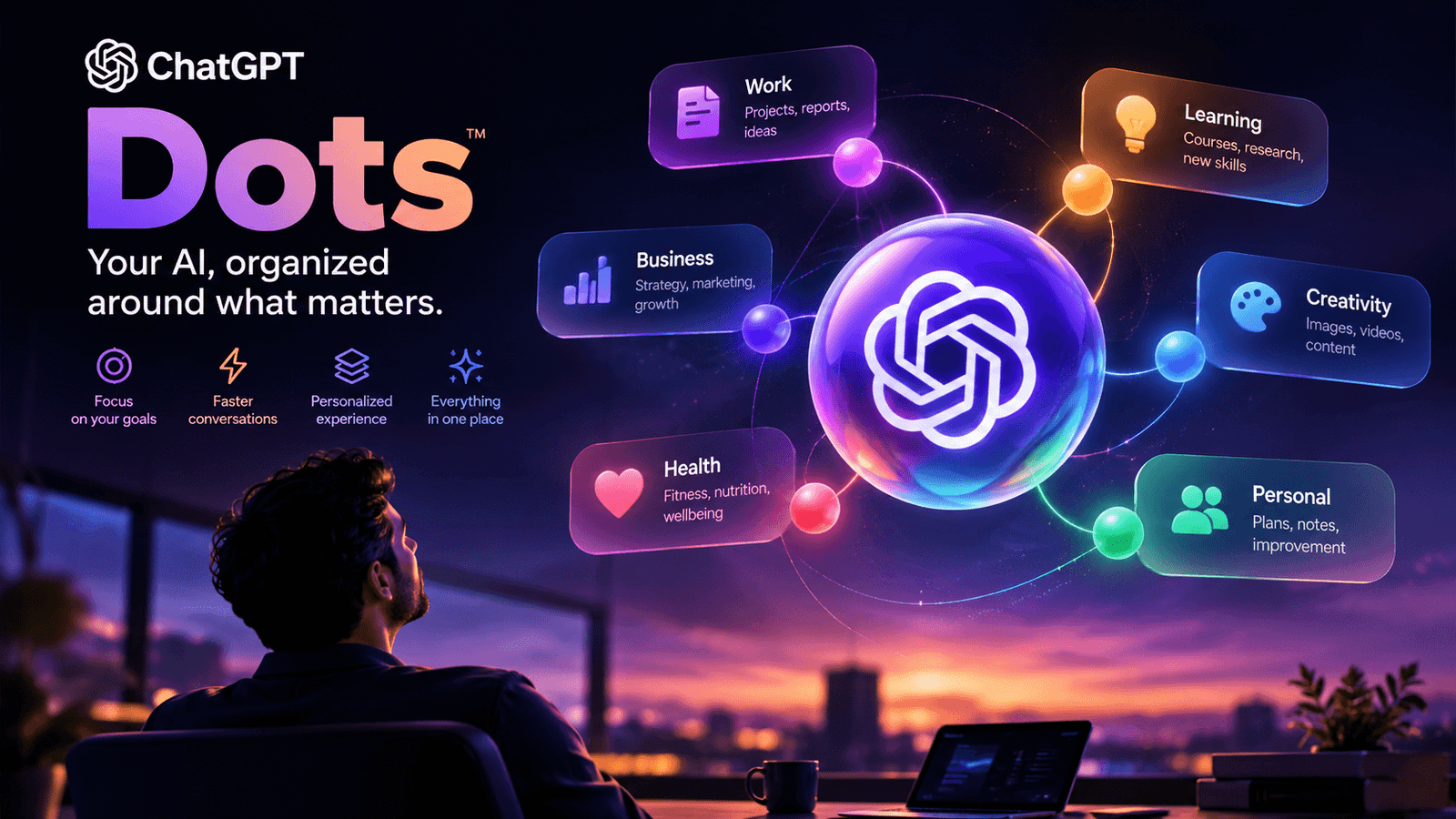
Imagine giving ChatGPT a job on Monday morning and coming back later to find that it has been monitoring the work, researching new information, updating documents, checking connected tools, and asking you only about the decisions that actually require your attention.
That is the idea behind ChatGPT Dots.
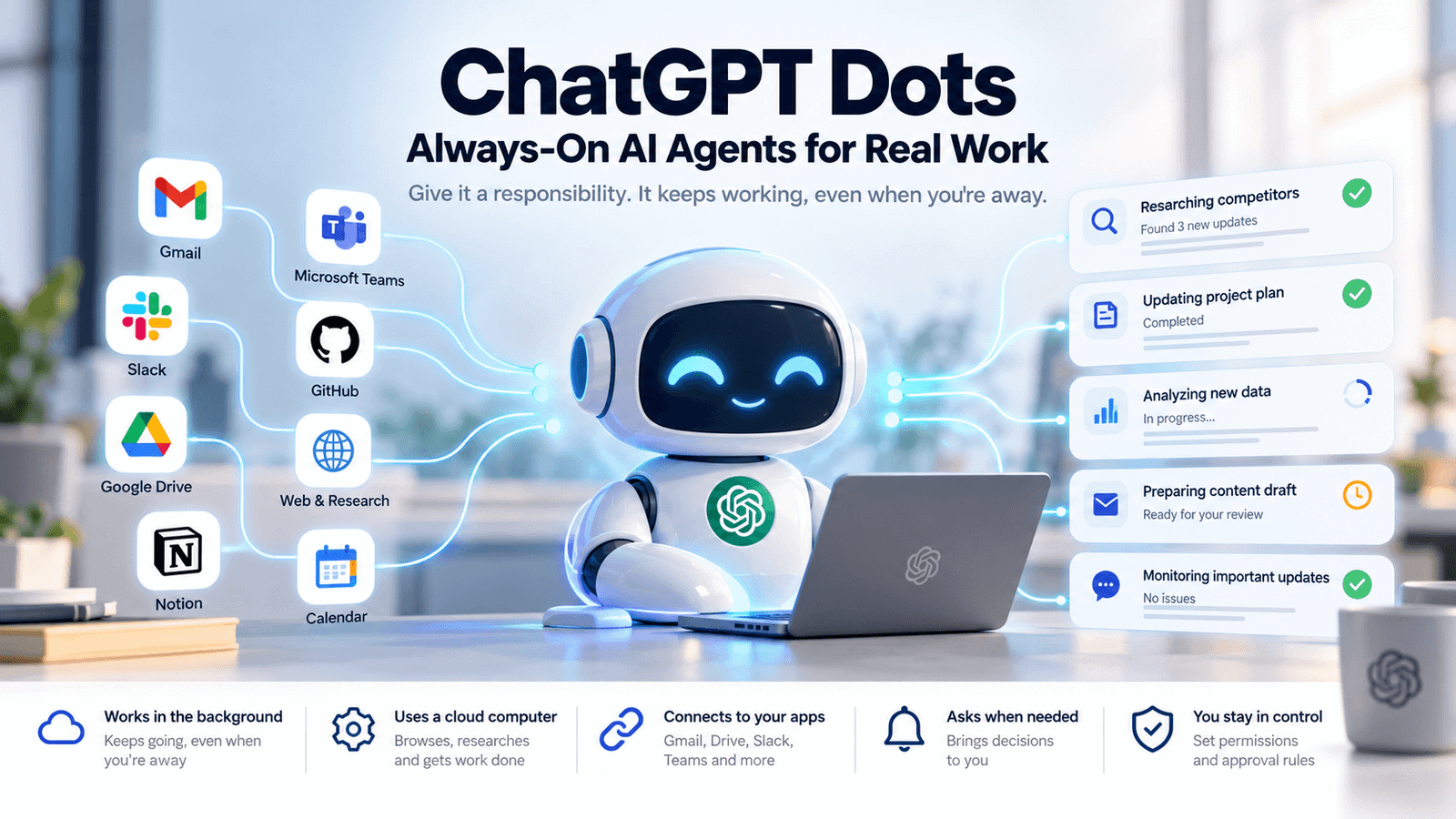
OpenAI describes Dots as “always-on agents” designed to keep work moving between conversations. Unlike a conventional chatbot, a Dot is designed to maintain an ongoing responsibility, operate through its own cloud computer and browser, connect to permitted apps, and continue working when you are away.
Powered by GPT-6 Astra, Dots represent a significant shift in how OpenAI wants people to interact with AI: from asking AI individual questions to delegating ongoing responsibilities to an AI agent.
But what exactly are ChatGPT Dots? How do they work? What can they do? How much do they cost? And, perhaps most importantly, how much control should you give one?
Let’s break it down.
What Are ChatGPT Dots?
ChatGPT Dots are OpenAI’s always-on AI agents.
The easiest way to understand the difference is this:
Traditional ChatGPT waits for your next prompt. A Dot is designed to keep working on an assigned responsibility.
A Dot can maintain context between conversations, track ongoing work, research information from connected sources, use its cloud computer, and come back to you when it needs a decision or has something worth reporting.
For example, instead of repeatedly asking:
- What’s happening with the project?
- Did anyone respond?
- Update the spreadsheet.
- Check the latest numbers.
- What should I do next?
You could give a Dot a responsibility such as:
“Keep our product launch on track. Monitor the relevant information, flag anything that could affect the launch date, keep the checklist updated, and ask me before communicating externally.”
The Dot is then intended to keep that responsibility moving instead of treating every interaction as an isolated chat.
Why Are ChatGPT Dots Different From Regular ChatGPT?
Regular ChatGPT is extremely useful for answering questions and completing tasks during a conversation.
Dots introduce another layer: continuity and agency.
Here’s the practical difference:
| Capability | Traditional ChatGPT | ChatGPT Dot |
|---|---|---|
| Answer questions | Yes | Yes |
| Draft content | Yes | Yes |
| Analyze information | Yes | Yes |
| Work between conversations | Limited by workflow | Designed for it |
| Maintain an ongoing responsibility | Not the primary model | Core purpose |
| Use a cloud computer | Not the defining experience | Yes |
| Proactively follow up | Limited | Yes |
| Work while you’re away | Limited | Yes |
| Connect to permitted apps | Yes, depending on setup | Yes |
| Ask for approval before sensitive actions | Depends on feature | Built into Dot controls |
| Delegate work to other agentic tools | Limited | Can use ChatGPT Work/Codex |
OpenAI positions Dots alongside ChatGPT, ChatGPT Work, and Codex rather than as a replacement for all three.
ChatGPT is for conversation, Work is for delegated tasks, Codex is focused on software development, while a Dot is intended to manage an ongoing responsibility and coordinate work over time.
How Do ChatGPT Dots Work?
A Dot has its own cloud computer and browser.
That matters because the agent isn’t simply waiting for you to reopen a chat. Its cloud environment can continue working while your computer is turned off.
A simplified version of the workflow looks like this:
You define a responsibility → Dot gathers context → Dot works in the background → Dot tracks changes → Dot asks for decisions → You review or redirect → Dot continues.
Dots can also use background agents to work on multiple pieces of a task in parallel.
Dots Can Remember Context
A Dot can use relevant ChatGPT memory along with its own saved notes about your preferences, decisions, and ongoing work.
That means you don’t necessarily have to explain the same project from scratch every time.
The more interesting implication is that the Dot’s context can become part of the workflow itself.
For example, you could give it:
- Your preferred writing style
- Your project priorities
- Important deadlines
- Approval rules
- Communication preferences
- Ongoing project information
It can then use those preferences as it continues working.
What Can ChatGPT Dots Actually Do?
OpenAI’s examples span research, analysis, content, business operations, software development, and personal tasks.
Here are some of the most practical use cases.
1. Research and Competitive Intelligence
A Dot can research connected information and keep track of developments.
For example:
“Monitor our competitors’ product updates and prepare a weekly summary. Highlight changes that could affect our positioning.”
Instead of performing the research manually every week, you are giving the Dot an ongoing responsibility.
2. Content Marketing
Content teams could use Dots to maintain a repeatable content workflow.
A Dot could potentially:
- Monitor content ideas
- Organize interview material
- Draft social posts
- Prepare show notes
- Maintain campaign documents
- Identify content gaps
- Keep content assets aligned
OpenAI has described scenarios where a Dot works with interview material, learns a creator’s preferences, and prepares show notes and social content for review.
3. Sales Operations
Imagine assigning a Dot responsibility for keeping a sales proposal current.
It could track:
- Customer requirements
- Seat counts
- Outstanding questions
- Technical reviews
- Security reviews
- Deadlines
- Changes to commercial terms
The Dot can then bring the next decision to the salesperson instead of requiring them to repeatedly reconstruct the state of the deal.
4. Project Management
Project managers spend enormous amounts of time asking:
What’s blocked? What’s changed? Who needs to respond? What’s due next?
A Dot can be assigned responsibility for tracking those questions.
For example:
“Monitor this project. Keep the task list current, identify dependencies, flag deadlines at risk, and bring important decisions to me.”
That changes AI from a writing assistant into something closer to a project operations layer.
5. Software Development
Dots can also interact with coding workflows.
A Dot can delegate work to Codex and can investigate software feedback, prepare fixes, and test changes for review.
That creates an interesting workflow:
Dot → identifies issue → delegates coding task → Codex works → results return → human reviews.
The important distinction is that the Dot is managing the responsibility while Codex remains specialized for development work.
6. Business Analysis
A Dot could be assigned to keep an analysis current as new information arrives.
For example:
“Keep our weekly revenue analysis updated. Compare new results with the previous period, flag unusual changes, and prepare questions we should investigate.”
This is particularly useful for teams where the hardest part isn’t producing one report—it’s keeping the report relevant as the underlying situation changes.
ChatGPT Dots Can Work Across Your Apps
Dots can connect to supported apps and plugins using the permissions available to your account.
Depending on your configuration, Dots can work with services such as:
- Gmail
- Google Drive
- GitHub
- Slack
- Microsoft Teams
- Other supported connected applications
However, connecting a communication channel does not automatically give a Dot access to every application or your computer.
Each connection has its own permissions.
That’s an important distinction for anyone considering Dots for business use.
Your Dot Can Have Its Own Computer
One of the most significant features is the Dot’s cloud computer.
Your Dot can use a cloud browser and computer environment for research, files, and software.
You can inspect its work and take control when necessary.
You can also optionally connect your own computer.
When connected, the Dot can work with local files, apps, and tasks, but your computer needs to remain online with the ChatGPT app open.
This effectively gives users two environments:
Cloud Computer
Runs independently and can continue while you’re away.
Your Computer
Provides access to local files and applications when you explicitly connect it.
ChatGPT Dots Are Proactive
This may be the biggest conceptual change.
A chatbot generally follows this pattern:
Human → Prompt → AI → Answer
An agent moves toward:
Human → Goal → AI → Ongoing Work → Human When Needed
OpenAI says Dots can decide when to pause and wake up to continue work rather than requiring every follow-up to be placed on a fixed schedule.
They can also respond to supported events.
That means the AI doesn’t necessarily need a new prompt every time something changes.
For knowledge workers, that could be a major productivity shift.
How Do You Communicate With a ChatGPT Dot?
Dots can be reached through several channels.
Depending on availability and configuration, you can interact with the same Dot through:
- ChatGPT
- Voice calls
- Slack
- Microsoft Teams
The Dot retains its identity across those channels rather than creating a completely separate agent each time.
You can also tell your Dot where different types of updates should go.
For example:
“Send routine updates in ChatGPT. Send anything that requires my decision to Slack.”
This is a subtle but important feature.
The goal isn’t necessarily to have AI send you more notifications.
The goal is to have AI filter which things deserve your attention.
Are ChatGPT Dots Safe?
This is where Dots deserve more scrutiny than ordinary chatbot use.
Giving an AI agent access to email, documents, calendars, code repositories, or other applications creates a different risk profile from asking a chatbot to summarize an article.
OpenAI has therefore built several layers of controls around Dots.
Permission Controls
You decide which apps a Dot can access.
Existing ChatGPT permissions apply to Dots, and individual plugin connections have their own authorization.
Custom Rules
You can define rules such as:
- Act without asking
- Ask before acting
- Only act when explicitly instructed
- Hand the task back to you
For example, you might allow a Dot to organize drafts automatically but require approval before sending an external email.
Automatic Action Review
OpenAI says Dots use an automatic review system to evaluate actions that could affect accounts or share information.
The system considers factors including your instructions, permissions, custom rules, and safety requirements.
Prompt Injection Protection
This is especially important for agents.
A malicious instruction could be hidden inside an email, webpage, document, or other content the Dot encounters.
OpenAI says Dots are designed to distinguish user instructions from instructions contained in external content.
However, these protections do not eliminate the risk.
That distinction matters.
AI agents should not be treated as infallible employees.
They are systems that can make mistakes while operating with potentially meaningful permissions.
What Should You NOT Give a ChatGPT Dot Full Freedom To Do?
A sensible rule is:
Give a Dot autonomy over repetitive work, but retain human approval for irreversible or high-impact decisions.
It may be reasonable to let a Dot:
- Organize research
- Summarize information
- Maintain a checklist
- Prepare drafts
- Monitor changes
- Analyze data
- Identify issues
You should be more cautious about automatically allowing it to:
- Send sensitive communications
- Make financial decisions
- Delete important information
- Change account credentials
- Publish high-stakes content
- Approve contracts
- Make irreversible business decisions
The more consequential an action is, the more important human review becomes.
ChatGPT Dots vs ChatGPT vs Codex
The easiest way to understand the OpenAI ecosystem is to think about specialization.
| Tool | Best For |
|---|---|
| ChatGPT | Questions, reasoning, writing, brainstorming and conversation |
| ChatGPT Work | Delegated research, analysis and file-based tasks |
| Codex | Coding, debugging, testing and software development |
| ChatGPT Dot | Ongoing responsibilities, monitoring, follow-up and coordination |
That distinction is important.
Dots aren’t necessarily designed to replace every other AI tool.
Instead, they can act as a management layer for AI-powered work.
The Dot can manage the responsibility while specialized tools handle individual parts of the job.
Who Can Use ChatGPT Dots?
Dots are currently rolling out gradually rather than being universally available.
Availability can depend on:
- Your ChatGPT plan
- Your region
- Your age
- Whether you’re using an individual or business account
- Workspace administrator settings
OpenAI’s current documentation should be checked for the latest availability information because eligibility can change as the product rolls out.
Are ChatGPT Dots Free?
Pricing and usage limits can change as the product develops.
OpenAI has indicated that eligible plans can include access to Dots, with usage allowances and the possibility of adding more Dots as the product expands.
Because Dots are still evolving, users should check the current OpenAI pricing and Help Center documentation before making a purchasing decision.
How to Create a ChatGPT Dot
If Dots are available on your account, the setup process is designed to be relatively straightforward.
Step 1: Create Your Dot
Start the Dot setup process and give it a name.
You can also customize its appearance.
Step 2: Explain Its Responsibility
Don’t start with:
“Help me with marketing.”
That’s too broad.
Instead, say:
“Own our weekly content research process. Monitor the topics I specify, identify important developments, summarize them, and prepare content opportunities. Don’t publish anything without my approval.”
The second instruction defines an actual responsibility.
Step 3: Connect Only Necessary Apps
Give your Dot the minimum access required.
If it doesn’t need access to your email, don’t connect your email.
If it only needs one Slack channel, don’t give it unnecessary workspace access.
Step 4: Define Approval Rules
Tell it what it can do independently and what requires your approval.
For example:
“You can create drafts without asking. Never send external messages without my approval.”
Step 5: Review Its First Results
Don’t immediately hand over a critical workflow.
Start with something relatively low risk.
Observe how the Dot interprets your instructions.
Then refine its rules.
The Best Way to Prompt a ChatGPT Dot
The biggest mistake people can make with an agent is treating it like a chatbot.
Don’t simply ask:
“Write me a report.”
Give it a responsibility.
A better instruction looks like this:
“Keep our monthly market research report current. Monitor the sources I’ve provided, identify meaningful changes, update the research document when appropriate, explain why each change matters, and bring significant strategic implications to me for review. Do not publish or contact anyone externally.”
This tells the Dot:
- What it owns
- What sources it should use
- What success looks like
- What decisions it can make
- What requires human approval
That’s the difference between prompting an AI and managing an AI agent.
5 High-Value ChatGPT Dot Workflows
1. The Content Research Dot
Give the Dot responsibility for:
- Topic monitoring
- Competitor research
- Content opportunities
- Source collection
- Editorial briefs
Human responsibility: Final strategy, fact-checking, and publishing.
2. The Executive Assistant Dot
Use it to:
- Track deadlines
- Monitor meetings
- Identify conflicts
- Prepare briefing notes
- Organize follow-ups
Human responsibility: Important decisions and sensitive communication.
3. The Sales Operations Dot
Have it monitor:
- Proposal changes
- Customer questions
- Outstanding reviews
- Deadlines
- Follow-up requirements
Human responsibility: Negotiation, pricing decisions, and contractual commitments.
4. The Product Feedback Dot
Connect relevant feedback sources and ask the Dot to:
- Identify recurring complaints
- Categorize feedback
- Investigate reported problems
- Connect feedback with product data
- Prepare recommendations
Human responsibility: Product prioritization and roadmap decisions.
5. The Developer Support Dot
Use a Dot to monitor software feedback and coordinate with coding tools.
It could:
- Identify recurring bugs
- Investigate issues
- Delegate coding work
- Prepare changes
- Run tests
- Return the results for review
Human responsibility: Code review, production deployment, and architectural decisions.
The Biggest Advantage of ChatGPT Dots
The most important benefit isn’t that Dots can “do more things.”
It’s that they can reduce context switching.
Think about how much time a knowledge worker spends reconstructing context:
What happened?
Where did we leave this?
What changed?
Who replied?
What’s the latest version?
What should happen next?
A persistent agent can potentially maintain that state for you.
That’s a fundamentally different productivity model.
Instead of using AI as a tool you repeatedly operate, you begin treating AI as a system that operates alongside you.
The Biggest Limitation of ChatGPT Dots
The same autonomy that makes Dots powerful makes them difficult to trust blindly.
A Dot can:
- Misunderstand an instruction
- Misinterpret information
- Encounter malicious content
- Make a mistake while interacting with an external system
OpenAI’s own documentation acknowledges that Dots can make mistakes and recommends reviewing consequential work.
So the right mental model isn’t:
“AI employee that never makes mistakes.”
It’s:
“AI operator that can handle substantial work but needs clearly defined boundaries and human oversight.”
What Could ChatGPT Dots Mean for the Future of Work?
Dots point toward a broader shift in AI.
The first generation of mainstream AI assistants answered questions.
The next generation created content.
Agentic systems are increasingly being designed to own processes.
That difference could be enormous.
A company might eventually have specialized agents responsible for:
- Marketing intelligence
- Sales operations
- Customer support
- Financial analysis
- Engineering triage
- Recruiting coordination
- Research
- Internal documentation
The long-term competition may therefore not simply be about which AI model produces the best answer.
It may be about which AI system can reliably run the most useful work with the least supervision.
Final Verdict: Are ChatGPT Dots Worth Paying Attention To?
Yes.
ChatGPT Dots are more significant than another ChatGPT feature because they change the relationship between the user and AI.
Traditional AI asks:
“What do you want me to do?”
Agentic AI increasingly asks:
“What responsibility should I own?”
That’s a much bigger idea.
Dots are particularly compelling for people who manage:
- Recurring workflows
- Research
- Content
- Projects
- Sales operations
- Software development
- Information-heavy work
But autonomy should be earned.
Start with a low-risk responsibility.
Give the Dot only the permissions it needs.
Define clear approval boundaries.
Review its work.
Expand its responsibilities as you gain confidence.
The most productive future probably won’t be humans handing everything to AI.
It will be humans deciding what AI should own—and what humans should continue to own themselves.
Frequently Asked Questions About ChatGPT Dots
What are ChatGPT Dots?
ChatGPT Dots are OpenAI’s always-on AI agents. They can maintain ongoing responsibilities, work in the background, use connected applications, operate through a cloud computer, and return to users when decisions or input are required.
What model powers ChatGPT Dots?
According to OpenAI’s current product information, Dots are powered by GPT-6 Astra.
Can ChatGPT Dots work when my computer is turned off?
Yes. A Dot’s cloud computer can continue working while your personal device is off.
Can ChatGPT Dots access my email?
They can access connected applications when you explicitly provide the relevant permissions.
Connecting a Dot does not automatically grant it access to every application or your computer.
Can ChatGPT Dots send emails?
Depending on the connected application and permissions, a Dot may be able to take actions such as sending messages.
Approval controls and safety systems can require your authorization for certain actions.
Are ChatGPT Dots safe?
OpenAI has built multiple safety mechanisms around Dots, including permission controls, custom rules, automatic action review, safety monitoring, and protections against prompt injection.
However, these protections do not eliminate every risk.
Are ChatGPT Dots available to everyone?
No.
Availability depends on factors such as plan, region, age, and workspace eligibility, and the rollout is gradual.
Can I use a Dot on my phone?
Yes. Dots can be created and used through supported ChatGPT mobile apps. Availability can vary by platform and rollout stage.
Are Dots the same as Codex?
No.
Codex is specialized around software development.
A Dot is designed to manage ongoing responsibilities and can delegate software tasks to coding tools such as Codex.
Can I stop a ChatGPT Dot?
Yes. You can pause or stop its work and manage its ongoing tasks.
Stopping a Dot does not necessarily undo actions that have already happened.
Conclusion
ChatGPT Dots are an early look at a different kind of AI assistant—one that doesn’t simply wait for instructions but can maintain context, monitor responsibilities, coordinate tools, and continue working in the background.
The real opportunity isn’t asking a Dot to do 100 random tasks.
It’s finding the one recurring responsibility that consumes your attention every week and giving the Dot a well-defined job.
Start there.
Define the goal.
Connect the right sources.
Set approval boundaries.
Review the results.
Then expand.
That’s where the real value of agentic AI begins.

Leave a Reply